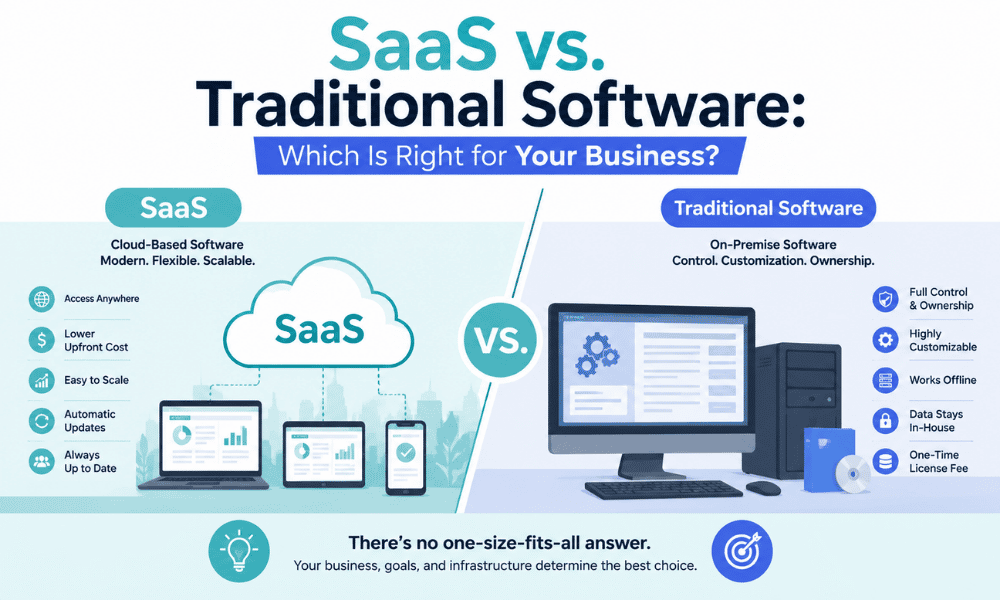
A few years ago, the debate between SaaS vs traditional software was mostly about cost and convenience. Today, it runs deeper. It touches on data security, AI capabilities, compliance, team flexibility, and how quickly your business can adapt when things change.
The numbers reflect how far the shift has gone. According to Gartner, 85% of all business software spending will go toward SaaS by the end of 2026. On-premise software, which was once the default for every serious business, is now in structural decline. That does not mean traditional software is dead. For certain industries and use cases, it remains the better option. But for the majority of businesses in the USA, the question of SaaS vs traditional software has a clearer answer than it did five years ago.
This guide breaks down the differences between the two models across every dimension that matters: cost, setup, scalability, security, customization, and control. By the end, you will have a clear picture of which path fits your business in 2026-27.
What Is Traditional Software?
Traditional software, also called on-premise software, is installed directly on your company’s computers and servers. You purchase a license upfront, your IT team handles installation and configuration, and the software lives on your own infrastructure.
Think of Microsoft Office before it became Microsoft 365, or of older versions of accounting software like QuickBooks Desktop that you installed from a disc or downloaded as a file. Once installed, the software belongs to you. You control everything: the data, updates, access, and security.
That level of control sounds appealing, and for some businesses it genuinely is. But it comes with significant responsibilities and costs that cloud software vs traditional software comparisons often reveal starkly.
What Is SaaS?
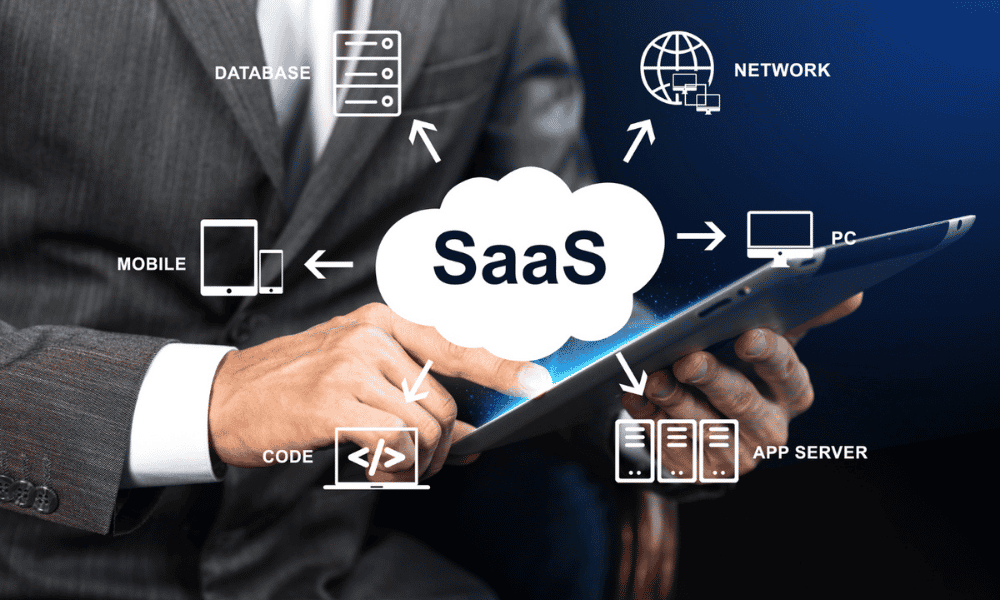
SaaS, or Software as a Service, delivers software over the internet through a browser. You pay a monthly or annual subscription, the provider hosts everything on their servers, and you access the software from any device with an internet connection.
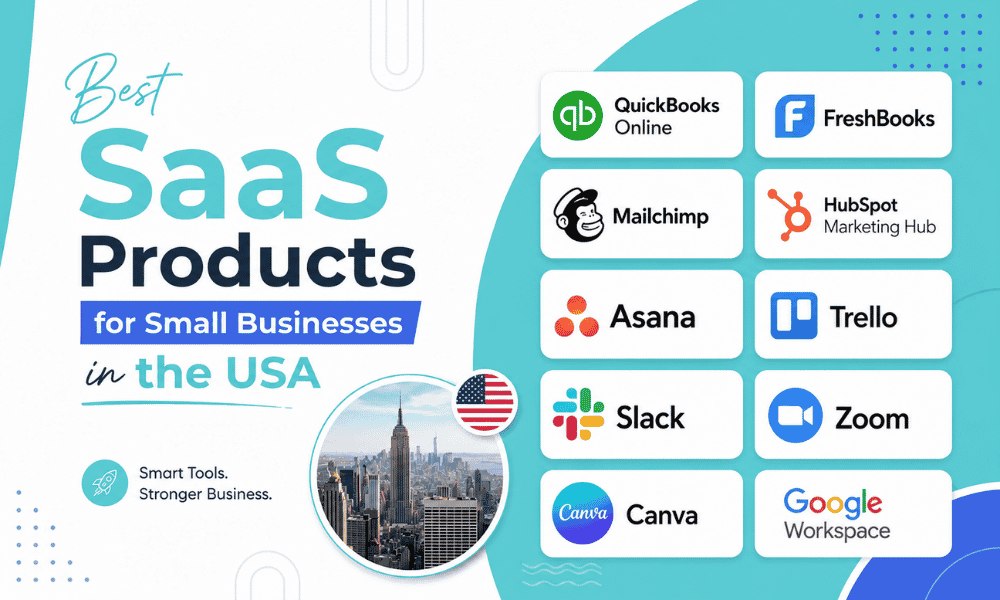
Examples include tools most businesses already use daily, such as Slack, HubSpot, QuickBooks Online, Zoom, Salesforce, and Google Workspace. These are all cloud-based software for businesses that require zero installation and zero in-house server maintenance.
The SaaS provider handles updates, security patches, data backups, and uptime. Your team just logs in and gets to work.
SaaS vs Traditional Software: A Side-by-Side Breakdown
1. Cost Structure
This is where the differences between SaaS cost vs traditional software cost show up most clearly, and where many businesses make their decision.
Traditional software requires a large upfront investment. You pay for the software license, the hardware to run it, the IT staff to install and maintain it, and periodic upgrade fees every time a new version is released. A study by Hurwitz and Associates found that hardware, infrastructure, and personnel costs for on-premise software can range from $150,000 for 10 users to over $275,000 for 100 users over four years.
SaaS flips that model. There is no hardware to buy, no upfront license fee, and no upgrade costs. You pay a predictable monthly or annual subscription. According to the same study, the total cost of ownership for SaaS solutions can be as much as 77% lower than comparable on-premise alternatives.
For small businesses and startups watching cash flow carefully, that difference is significant. You get enterprise-grade software without the enterprise-grade upfront bill.
Winner: SaaS for most small and mid-sized businesses. Traditional software may win on total long-term cost for very large enterprises with stable, predictable needs.
2. Setup and Deployment
Getting traditional software up and running takes time. You need to procure hardware, set up servers, install the software across individual machines, configure user access, and train your team. For complex enterprise systems, this process can take months.
SaaS deployment is dramatically faster. In most cases, you sign up, create user accounts, and your team is up and running within hours. There is no hardware to set up and no IT project to manage. This is one of the most cited SaaS benefits for small businesses that lack dedicated IT departments.
The speed advantage is not just about convenience. Every week your team spends waiting for a software deployment is a week of lost productivity. Switching from traditional to SaaS removes that bottleneck entirely.
Winner: SaaS, and it is not particularly close.
3. Scalability
Scaling traditional software is painful. If you hire 10 new employees who need access to your accounting or project management system, you have to purchase additional licenses, potentially upgrade your server capacity, and involve IT in the configuration process. That takes time and money.
With SaaS vs on-premises software, scaling is as simple as clicking a button to upgrade your subscription tier. Most SaaS platforms let you add or remove users in minutes. If business slows down and you need to cut costs, you downgrade just as easily.
For growing businesses, this flexibility is one of the most valuable SaaS benefits. You are not locked into a fixed capacity that you either overpay for or outgrow.
Winner: SaaS for any business experiencing growth or seasonal fluctuations.
4. Maintenance and Updates
With on-premise software, updates are your responsibility. Your IT team has to test patches, schedule maintenance windows, and roll out new versions without disrupting daily operations. Many businesses fall behind on updates because the process is too disruptive, which leaves them running outdated software with unpatched security vulnerabilities.
SaaS providers push updates automatically, often multiple times per week, without any action required from your team. Features improve, bugs get fixed, and security vulnerabilities get patched in the background while your team keeps working.
For businesses thinking seriously about cloud software vs traditional software, this maintenance difference is one of the most underappreciated factors. On-premise software disadvantages often boil down to the hidden cost of keeping the system up to date.
Winner: SaaS, particularly for businesses without a dedicated IT team.
5. Security
This is where the comparison gets more nuanced.
Traditional software gives you complete control over your data. It sits on your servers, behind your firewall, and never leaves your premises unless you send it somewhere. In industries with strict regulatory requirements, such as healthcare, defense contracting, or certain areas of financial services, this level of control is sometimes mandatory.
SaaS vs on-premise software security is not a simple win for either side. SaaS providers invest heavily in security infrastructure, typically more than any individual business could afford on its own. Enterprise-grade encryption, multi-factor authentication, intrusion detection, and automatic backups are standard features on reputable SaaS platforms. However, your data resides on a third-party server, which introduces additional risks, including vendor breaches and data access concerns.
The reality for most small and mid-sized businesses is that a reputable SaaS provider’s security infrastructure is considerably stronger than what they could build and maintain themselves. But for regulated industries, the answer is more complicated and often requires compliance-specific SaaS solutions or hybrid approaches.
Winner: Depends on your industry. SaaS wins for most general business use cases. Traditional software or specialized compliance-grade SaaS wins for regulated industries.
6. Customization and Control
On-premise software disadvantages are well documented, but one area where traditional software genuinely excels is deep customization. Because the software runs on your own infrastructure, your IT team can modify it, integrate it with other internal systems at a code level, and configure it in ways that SaaS platforms simply do not allow.
SaaS platforms offer customization within boundaries. You can adjust settings, configure workflows, and connect tools through APIs and integrations. For most business functions, that is more than enough. But for businesses with highly specialized workflows or legacy systems that need tight integration, the limitations of SaaS can become real constraints.
This is one area where switching from traditional to SaaS deserves careful thought. If your business has invested years in customizing an on-premise system, migrating to SaaS means understanding exactly what you will gain and what you will have to leave behind.
Winner: Traditional software for businesses with highly specific customization needs. SaaS for everyone else.

7. Accessibility and Remote Work
Cloud-based software for businesses has one advantage that has become non-negotiable since 2020: your team can access it from anywhere. A SaaS tool works on a laptop in a coffee shop, a tablet at a client site, or a phone on the way to a meeting. All it needs is an internet connection.
Traditional software is tied to the device it is installed on, or at best, accessible through a VPN connection to your company network. For remote or hybrid teams, that is a significant operational friction that SaaS eliminates completely.
Winner: SaaS, with no caveats.
Quick Comparison Table
| Factor | SaaS | Traditional Software |
| Upfront cost | Low | High |
| Setup time | Hours | Weeks to months |
| Maintenance | Provider handles it | Your IT team handles it |
| Scalability | Easy and fast | Slow and costly |
| Customization | Limited but sufficient | Deep customization possible |
| Data control | Third-party hosted | Fully in-house |
| Remote access | Any device, anywhere | Device or VPN dependent |
| Security | Provider-managed, enterprise-grade | You manage it entirely |
| Updates | Automatic | Manual, often delayed |
Which One Is Right for Your Business?
When weighing SaaS vs traditional software for your specific situation, the answer comes down to a few key questions.
Choose SaaS if:
- You are a small or mid-sized business without a large IT team
- You need to get up and running quickly without a major upfront investment
- Your team works remotely or across multiple locations
- You want predictable monthly costs that scale with your growth
- You value automatic updates and not having to think about maintenance
The SaaS benefits for small businesses are strongest in exactly these situations. The combination of low upfront cost, fast deployment, and zero maintenance burden is genuinely hard to argue against when you are running a lean operation.
Choose traditional software if:
- You operate in a heavily regulated industry where data must remain on your own servers
- Your business has highly specialized workflows that require deep system customization
- You have a large, capable IT team and the infrastructure already in place
- You have done a full cost analysis, and on-premise works out cheaper over your expected timeframe
Consider a hybrid approach if:
- You need some on-premise control for sensitive data, but want cloud-based software for businesses for everyday operations
- Your vendor offers both deployment options under the same platform
The Bottom Line
The debate around SaaS vs traditional software is largely settled for most businesses in the USA. Cloud-based software for businesses has become the default for a reason: it costs less to get started, scales without friction, requires no maintenance from your team, and keeps your workforce connected regardless of where they are working.
That said, switching from traditional to SaaS is not the right move for every business in every situation. Regulated industries, businesses with deeply customized legacy systems, and organizations with specific data sovereignty requirements all have legitimate reasons to stay on-premise, or at least to approach the switch more carefully.
For everyone else, the question of SaaS vs on-premise software has a straightforward answer in 2026. The technology has matured, the security concerns have largely been addressed, and the cost advantages are too significant to ignore. If you are still running key business functions on installed software with manual updates and fixed licenses, now is a good time to review whether that model is still serving you.